🎤 Karaoke Bar Owners: Stop Losing F&B Sales to Bad Service
Picture this: A group of friends is belting out "Bohemian Rhapsody" in Room 7. The lead singer is in the zone, microphone in hand, hitting that epic guitar solo. Then—disaster. They run out of beer. Someone has to stop singing, find the door, wave down a staff member, and wait 10 minutes for a refill. The mood? Gone.
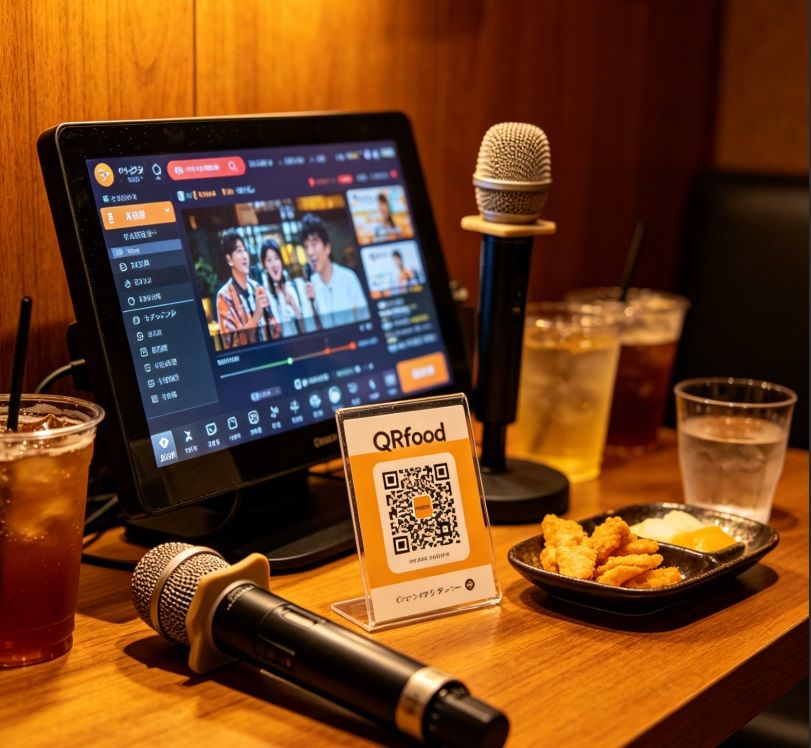
Now picture a different scene: Same room, same song. When the beer runs low, someone scans the QR code on the table. They browse the drink menu, add a pitcher of beer and some fries to the cart, and tap "Order." Two minutes later, a staff member knocks with their order. The singing never stopped.
Which karaoke bar would you rather run? Which would you rather visit?
Why Karaoke Bars Need QR Menus More Than Restaurants
Karaoke venues face service challenges that restaurants don't. Your customers are in private rooms. They're holding microphones. They're focused on singing, not signaling for service. And when they do need something—another round of drinks, some snacks, a microphone battery change—every minute of waiting kills the vibe.
Here's why QR code menus are a game-changer for karaoke bars:
🎤 No Need to Wave for Staff. Customers scan, browse, and order from their phones. No standing up, no finding the door, no waiting for someone to walk by.
🍻 Higher F&B Revenue. When ordering is this easy, customers order more. Karaoke bars using QR menus report 35% higher food and beverage revenue per room.
⚡ 50% Faster Service. Orders go straight to your POS system. No misheard orders, no lost paper slips, no "I thought you wanted soda, not beer!"
📞 Built-in Staff Call Button. Need extra glasses? A microphone battery? A birthday surprise? One tap summons staff—no awkward waving through the door window.
🌍 Serve International Customers. Tourist groups love karaoke. With multi-language QR menus, they can order in their native language—English, Chinese, Japanese, Korean, Thai, and more.
Real Karaoke Bar Story: From "Where's Our Drinks?!" to Smooth Operations
David runs a 12-room karaoke bar in downtown Seattle. Before QR menus, his typical Friday night looked like this:
"Staff were running non-stop. Room 3 wants more ice. Room 5 needs another mic. Room 8 is waving—they've been waiting 15 minutes for their cocktails. Customers were frustrated. My staff was exhausted. And I knew we were losing repeat business."
Then he switched to QRfood QR menus with integrated staff call:
"Now customers scan when they sit down. They see our full drink and snack menu with photos. They order whenever they want—no waiting. The 'Call Staff' button handles special requests. My staff knows exactly what each room needs before they knock. We're serving 40% more drinks per room, and customers actually compliment our service now."
David's bar now generates $4,500 more F&B revenue per month—not from higher prices, just from making ordering effortless.
How to Set Up QR Menus for Your Karaoke Bar (4 Simple Steps)
Step 1: Create Your Digital Menu. Log into your QRfood dashboard. Add your drinks (beer, cocktails, soft drinks, shooters) and snacks (fries, wings, nachos, popcorn). Use appealing photos and descriptions.
Step 2: Generate Room-Specific QR Codes. Click "Generate QR Codes." Each room gets a unique code that tags orders with the room number. Print and laminate them. Place one on each table.
Step 3: Set Up Staff Notifications. When an order comes in, your POS beeps. When someone hits "Call Staff," your team gets a room number alert. No more missed waves.
Step 4: Train Your Staff. Show them how orders appear, how to fulfill them, and how to respond to "Call Staff" requests. Within days, your whole operation runs smoother.
Best Practices for Karaoke QR Menus
• Highlight Drink Packages. "Pitcher + 4 Shots = $25" encourages larger orders. Make combos prominent.
• Show Popular Items. "Most Ordered" badges help indecisive customers choose faster.
• Enable Group Ordering. Let multiple people in the same room order from their own phones. All orders go to one tab.
• Add a "Birthday Surprise" Option. Customers can request a free birthday song + dessert surprise. Creates memorable moments.
• Keep It Updated. Out of Mojitos? Mark it as "Sold Out" instantly. No more "Sorry, we're out of that."
The Numbers: What Karaoke Bars Can Expect
Based on data from 200+ karaoke bars using QRfood:
📊 35% increase in F&B revenue per room
⚡ 50% faster order-to-delivery time
⭐ 42% improvement in customer satisfaction ratings
💵 Average additional revenue: $4,200/month per venue
🔄 88% of customers say they're "very likely" to return
Common Concerns—Answered
"What if customers' phones die?"
Keep a few printed menus as backup. But in 2026, most people have their phones charged. And karaoke rooms often have charging cables available.
"What about older customers?"
The interface is simple: scan, tap, order. Staff can help if needed. But you'll find seniors use QR menus comfortably—they use them at restaurants already.
"Is it expensive to set up?"
QRfood starts at $199/month. If you serve 100 customers daily with a $15 average F&B order, the 35% increase in revenue covers your subscription 15x over.
Ready to Transform Your Karaoke Bar Experience?
Your karaoke bar is about creating unforgettable experiences. Nothing kills a good time faster than waiting 20 minutes for a drink refill while your friend holds the mic, waiting to sing.
QR code menus aren't just about technology. They're about preserving the moment. Keeping the energy high. Making sure your customers' only focus is on having fun—not on getting your attention.
The karaoke bars that win are the ones that make service invisible. Where drinks appear like magic. Where staff seem to know what you need before you ask.
Start your free trial today. Scan. Order. Sing. Repeat. Your customers—and your bottom line—will thank you.
Because in 2026, the best karaoke bar isn't the one with the biggest song library. It's the one where the service never interrupts the song.