Square vs QRfood: Three Features Restaurant Owners Feel Every Day
It was 11:07 on a Tuesday morning in Austin, and my friend Daniel — who runs a 40-seat taqueria just off South First — was standing at his counter with a laptop, racing the lunch rush. On one screen he had the breakfast menu he needed to retire; on the other, the lunch menu he needed to publish before the first office orders hit the printer. Square was not going to switch them for him. He had to do it by hand, dish by dish.
He made it. Barely. But that is twenty minutes of his week, every week, spent on a task that has nothing to do with food, hospitality, or growing the business — and it is the kind of friction I keep hearing about from operators in every city I visit.
Let me be clear before I go further: Square for Restaurants is a genuinely good product. It made modern POS and card payments accessible to millions of small businesses, and Daniel's taqueria would be far worse off without it. This is not a takedown. It is an honest look at three specific areas where QRfood's approach produces noticeably better, day-to-day results — and where that difference actually comes from.
Where Square Deserves Full Credit
Square built its reputation the hard way, and it holds up:
• Payments that just work. One flat, transparent rate, money in your account fast, no mystery fees buried in a statement.
• An ecosystem that fits a small business. Hardware, invoicing, payroll, lending — all from one login, all built for people running a restaurant, not a tech department.
• A low barrier to entry. You can be live and taking cards the same day you sign up.
If your main need is to take payments reliably and keep your books from becoming a nightmare, Square is a smart choice — and plenty of restaurants should simply stay.
But "taking payments" and "running a menu" are different jobs. And it is in the second job — the menu, the guest experience around it, and the languages your guests actually speak — that the gap shows up. Here are the three features QRfood does better, and why each one matters at the counter.
Feature 1 — Menu Management: From Spreadsheet to Schedule
Square's menu editor works like a spreadsheet: rows and columns, items and prices, categories you drag into order. It is familiar, and for a static menu it is perfectly fine.
The trouble starts when your menu is alive. If you want a lunch menu that automatically replaces breakfast at 11 a.m., Square does not do that natively — you switch it by hand, or you bolt on a third-party tool and hope the two systems agree. The same is true for weekend brunch, seasonal specials, and holiday pricing. Every change is manual, and every manual change is a chance to get it wrong during the busiest part of the day.
QRfood treats the menu as something that moves on a clock. You schedule rotations by time of day, by day of the week, or by seasonal date range — breakfast hands off to lunch at 11:00 sharp, brunch appears on Saturday and Sunday, the holiday menu activates itself. All of it lives in one dashboard, and none of it needs you standing over a laptop at 11:07.
What that saves is not abstract. A typical menu change that used to eat three to four hours of prep, printing, and double-checking collapses to about fifteen minutes of setup — and after that, it repeats on its own.
Feature 2 — The QR Ordering Guest Experience
Both companies will sell you a QR code. The difference is what happens after your guest scans it.
Square's QR ordering opens a generic web page — functional, but plainly a page, not an experience. It does not carry the look of your restaurant, and it was not designed to sell food. On a phone in a dim dining room, that matters more than most operators expect.
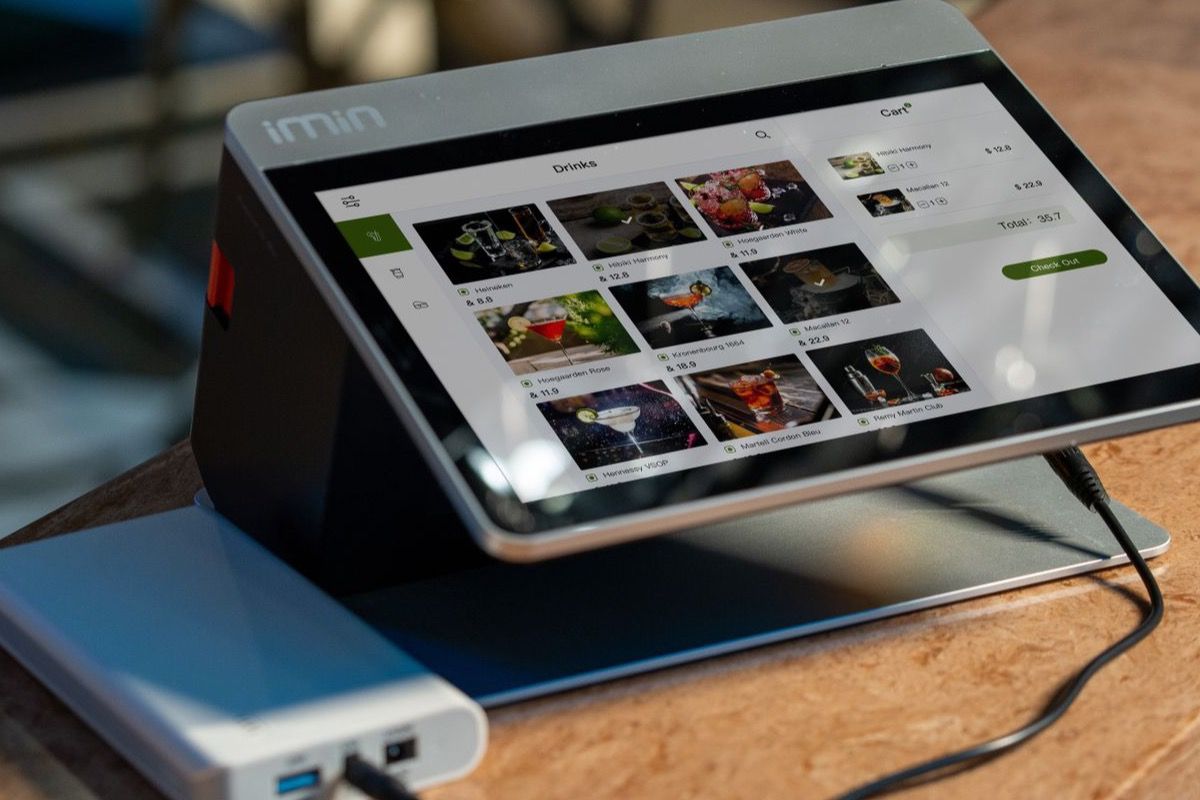
QRfood's QR menus are built guest-first: they load in under a second, adapt cleanly to whatever screen size the guest is holding, and support high-resolution food photography that makes a dish look like something you actually want to eat. Guests can customize an item, watch their total update in real time, and split the bill — all on their own phone, without a server typing on their device.
The result is behavioral, not cosmetic. In practice, 22–35% of dine-in guests choose QR ordering after scanning the code. That is a meaningful share of your room ordering directly, which shortens the path from "I am hungry" to "the order is in the kitchen."
And the experience cuts both ways. For guests, ordering on their own phone is faster, more private, and lets them take their time with a menu they can read. For the restaurant, it means fewer trips to a table just to hear "we are still deciding," and fewer tickets retyped from a misheard order.
Feature 3 — Multi-language Support Without Managing Two Menus
Walk through any diverse neighborhood — from Queens to Koreatown in Los Angeles — and the American guest is obvious: your customers do not all read the same language.
Square's QR menu is English-dominant. If you serve a large Spanish-, Chinese-, Japanese-, or Korean-speaking audience, you are often left maintaining a second menu version somewhere else, or explaining dishes verbally at the table, one party at a time. And a second menu has a familiar habit: the two versions drift apart — one gets a price change, the other does not, and now you have two versions of the truth.
QRfood supports full bilingual and multi-language menus with one click. A guest can switch between English, Spanish, Chinese, Japanese, or Korean without you maintaining parallel menus. One menu, many languages, always consistent.
Why These Three, and Why Now
None of these are vanity features. They land in three places that show up on a P&L:
• Labor hours — menu changes and translation stop being someone's side project.
• Order accuracy — guests order what they actually want, in a language they read.
• Average ticket — discovery is easier when the food looks the way it tastes.
That is the whole argument. Square is strong at payments and operations. QRfood is built around the menu and the guest holding the phone.
Built on Real Restaurant Experience
QRfood is validated by 500+ restaurants in Japan, where menu precision and guest experience standards are world-class. These features were not invented in a boardroom. They came from operators telling us, over and over, exactly where the daily friction lived — at 11:07 a.m., with a laptop balanced on a counter.
The Bottom Line
Please do not read this as "cancel Square." If Square is working for you, keep it. But know what each tool is optimized for. Square was built to take payments. QRfood was built to run a living menu and hand the device to the guest.
You do not have to choose between them, either. Start with the layer that changes what your guests experience — the menu they read, the language they read it in, and the ease of ordering it. See the difference for yourself. Try QRfood free at qrfood.ai.