Digital Menu vs Traditional Menu: Which Is Better for Your Restaurant?
Picture two restaurants. Both serve the same food at the same prices. But one brings in 22% more revenue per customer. Which one do you think is using a digital menu?
If you answered the digital one, you're right. But the choice between digital and traditional menus isn't as simple as picking the winner. Every restaurant has different needs, budgets, and customers. What works for a Michelin-starred fine dining establishment won't work for a Chicago deep-dish pizza joint.
I've spent the last three years helping restaurants across the country make this decision. From a Vietnamese pho shop in Houston to a craft burger truck in Portland, I've seen both approaches succeed — and fail. Here's what I've learned.
Round 1: The Cost Fight
Let's start with the number everyone asks about first: money.
Traditional menus seem cheap upfront. A one-time print run of beautiful laminated menus costs $200-$800 depending on complexity. Change them every six months when you update pricing, and you're looking at $400-$1,600 per year.
Digital menus have an upfront monthly cost. Services like QRfood start at $199/month — that's about $2,400 per year. On paper, that's more expensive.
But here's what the traditional menu math doesn't show:
📄 Hidden reprint costs. Need to update prices because of supplier changes? That's another print run. New dish for the seasonal menu? Reprint. Typo on the dessert section? Reprint.
💰 Lost revenue from upselling. Digital menus can highlight specials, suggest add-ons, and display mouth-watering photos. Traditional menus show a static list. At a 22% average order increase, a restaurant doing $50,000/month in revenue gains an extra $11,000/month with a digital menu. That dwarfs the subscription cost.
📊 Analytics value. Digital menus tell you which items get the most views, which descriptions convert best, and what time of day certain items perform. Traditional menus tell you nothing. How much is knowing your customer worth?
Real math: A diner spending $500/month on traditional menu printing switches to QRfood at $199/month. At a conservative 10% order value increase from their $50,000 monthly revenue, they gain $5,000 — for a net win of $4,601/month.
Round 2: Customer Experience
Now the subjective one — how do customers actually feel about each?
Traditional menus have a tactile advantage. There's something undeniably satisfying about holding a beautifully designed menu. The paper quality, the layout, the weight of it. In fine dining environments, a traditional menu signals quality.
But traditional menus have a hygiene downside. A 2023 study found restaurant menus harbor more bacteria than a toilet seat. Yes, really. Customers touch them, sneeze on them, drop them on the floor — and the next table gets the same menu.
Digital menus, on the other hand, offer:
🖼️ Visual ordering. Customers see exactly what they're getting. A well-photographed dish on a digital menu converts 40% better than a text description on paper.
🌐 Multi-language support. A tap switches between English, Chinese, Japanese, Spanish. Try doing that with paper.
⚙️ Dietary filters. "Show me gluten-free options under $15." Customer taps once. With paper, they scan the whole menu.
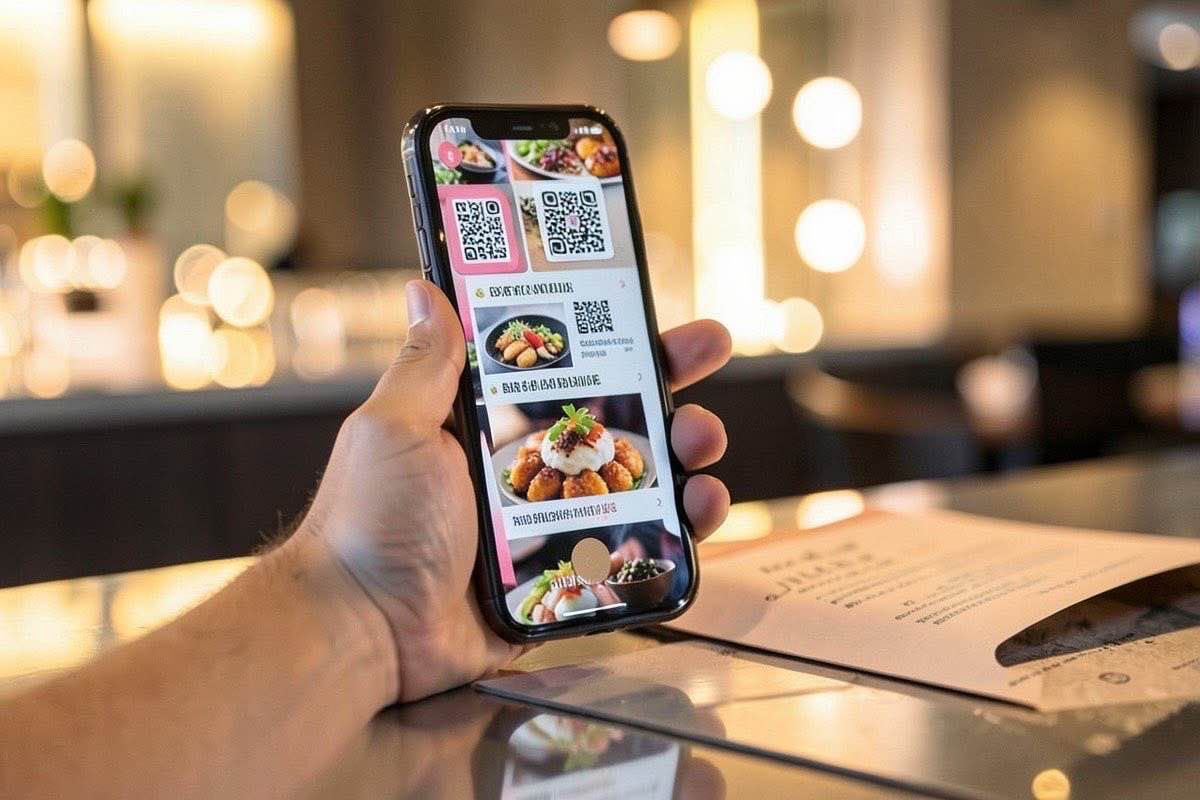
🔄 Contact-free. Scan a QR code. Browse on your phone. Order when ready. No shared surfaces.
Customer preference is shifting. In a 2025 survey of 2,000 diners: 68% said they prefer digital menus for casual dining, 52% preferred traditional for fine dining. The trend is accelerating — younger demographics show an 83% preference for digital.
Round 3: Speed and Operations
This is where digital menus pull ahead unambiguously.
Traditional menus slow down the ordering process. Server drops off menus. Customer browses for 3-4 minutes. Server returns. Customer asks questions. Server answers and takes order. Total time: 6-8 minutes just for ordering.
Digital menus with QR ordering compress this to: Customer scans and browses while waiting. Server greets, confirms they've seen the menu, and takes an informed order. Total time: 2-3 minutes.
For a busy restaurant turning tables 3 times per dinner service, saving 4 minutes per table means fitting in an extra turn. At $60 average ticket for 20 tables, that's $1,200 extra revenue per night.
The operational benefits go beyond speed:
• No more "Do you have this?" — everything is visible on the menu
• Real-time inventory — mark dishes as sold out instantly
• Split checks become easy — customers order through their own device
• Server errors drop — typed orders beat handwritten ones
Restaurants using digital menus report 35% fewer order errors and 40% faster table turnover times on average.
Round 4: Flexibility
This one isn't close.
Traditional menus freeze your menu in time. Today's menu is printed and won't change until you pay for a reprint. Daily specials require chalkboards or handwritten inserts. Price changes mean wait — ignore it until the next print run.
Digital menus update instantly. New item? Add it in 30 seconds. Ingredient cost went up? Update the price right now. Lunch and dinner menus different? Switch them automatically at set times. Running a happy hour with different pricing? Digital menus handle this effortlessly.
For seasonal restaurants, pop-ups, and food trucks — this flexibility is a lifeline. For traditional sit-down restaurants, it's still a massive advantage.
Round 5: Analytics and Insights
Digital menus bring a capability traditional menus can never match: data.
With a digital menu, you know:
📈 Which menu items get the most views (but aren't ordered — a pricing problem)
📱 Which photos drive the most engagement
⏰ What time of day customers browse differently
🗺️ Which items customers tap on first
📊 How long customers spend deciding
Traditional menus give you zero of this. Your menu is a black box. You know what sells, but not why. With digital menus, you can A/B test descriptions, experiment with pricing psychology, and optimize your menu based on real behavioral data.
One restaurant in Nashville discovered their "Southern Fried Chicken" was the most-viewed item on their digital menu but rarely ordered. They realized the $18 price tag seemed high with no context. They added a "Served with collard greens & cornbread" description and sales jumped 65% in one week. A traditional menu would have left them guessing.
The Verdict: Which Should You Choose?
Here's my honest answer after years in the industry:
🍽️ Choose traditional menus if: You run a high-end fine dining establishment where the menu is part of the experience. You have a fixed, simple menu that rarely changes. Your customer base skews older and less tech-comfortable.
📱 Choose digital menus if: You run a casual dining, fast-casual, or food truck operation. You update your menu regularly. You want to maximize revenue per customer. You value operational efficiency. Your customers are diverse in language and dietary needs.
🥇 Best of both worlds: Use both. A few printed menus for customers who prefer them, QR codes for the majority. Many of my clients find this hybrid approach works best — paper for the table setting, digital for the ordering.
Real Story: How Digital Menus Changed a Family Restaurant
The Lee family has run a Chinese-American restaurant in San Francisco's Richmond district for 27 years. When I first met them in 2024, they were using the same laminated menus they'd printed in 2019. Prices were taped over with handwritten corrections. The specials board was a chalkboard from 1998.
Mrs. Lee was skeptical about going digital. "Our customers are mostly regulars. Families. Older people. They're used to our paper menus."
We did a soft launch — kept the paper menus but added QR code cards on every table. First week: 40% of customers used the digital menu. By week four: 75%. Mrs. Lee noticed something unexpected: "Customers are ordering faster. They're ordering more. And I haven't had to reprint menus in months."
The biggest surprise? Her older customers actually preferred the digital menu. "They can pinch-to-zoom. The font is bigger than our printed menus. They love seeing photos before ordering."
Lee's Restaurant now uses digital menus exclusively. Their average ticket went from $38 to $49. Customer wait times dropped. And Mrs. Lee updates her menu from her phone while sitting at home.
FAQ: Common Questions About Digital vs Traditional Menus
"Won't customers hate scanning QR codes?"
In 2026, QR scanning is automatic on most phones. 9 in 10 diners under 45 have used a QR menu in the past month. The resistance you're worried about is mostly in your head.
"What about customers without smartphones?"
Keep 3-5 printed menus as backup. This covers the <3% of diners who don't carry smartphones.
"Isn't a paper menu more personal?"
A well-designed digital menu can be just as personal — and more useful. You can customize it for the time of day, the weather, or even past order history. Paper is one-size-fits-all.
"Digital menus seem expensive for small restaurants."
At $199/month, if it increases your average ticket by just $1 per customer and you serve 200 customers daily, you've made back your investment 3x over. For most small restaurants, the ROI is immediate.
Ready to Make the Right Choice?
The question isn't really "digital or traditional?" The real question is: are you optimizing your menu for your customers and your business, or are you keeping paper because it's what you've always done?
Digital menus aren't just a tech upgrade. They're a revenue tool, an operations upgrade, and a customer experience enhancer. And with QRfood, they're affordable enough for any restaurant to try.
Start your free trial today. See the difference a digital menu makes — for your customers and your bottom line.
Your future self will wonder why you waited so long.